Native voice generation
Native voice generation
You can generate audio such as ambient sounds, sound effects, and BGM synchronized with the visuals at the same time as the video.
An efficient video generation model provided by Google. It can quickly generate high-quality videos with audio, up to 1080p and up to 8 seconds in length, from text or images.
Each model has its own Playground, pricing, and field docs. Filter by capability to open the one you need.

Google's high cost-performance video generation model that combines video and audio at high speed and high quality
Google’s high-performance, high-efficiency video generation model that achieves both outstanding speed and expressiveness
Model id and a short note on what each capability is for.
| Model | ID | Description |
|---|---|---|
| Veo 3.1 Lite(text to video) | google-video-veo-3.1-lite-text-to-video | Google's high cost-performance video generation model that combines video and audio at high speed and high quality |
| Veo 3.1 Lite(image to video) | google-video-veo-3.1-lite-image-to-video | Google’s high-performance, high-efficiency video generation model that achieves both outstanding speed and expressiveness |
Combines high-quality video generation with audio synchronization to achieve an efficient video production workflow.
A mysterious and meticulous illustration drawn in the style of Jean Giraud (Mœbius). In the midst of vibrant-colored flowers, a fox sleeps with a butterfly perched on its nose - a masterpiece of maximalism.
Prompt
Möbius-inspired (by Jean Giraud), maximalism, mysticism, asymmetric composition, meticulous attention to detail, masterpiece. The Hibiscus, chrysanthemum, lily, and Camellia, with their vibrant and intense colors. A fox …

Generated with Nano Banana Pro
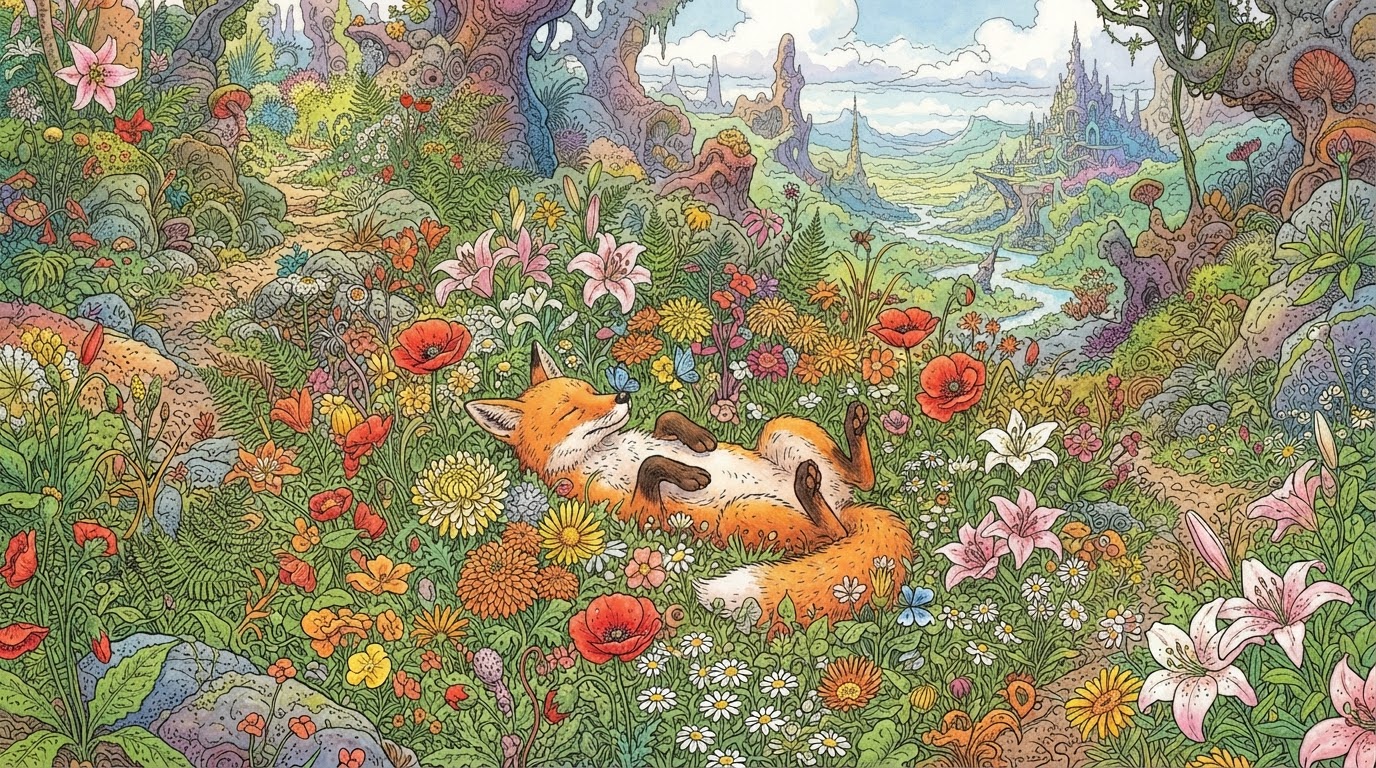
Generated with Nano Banana 2 Lite

Generated with Nano Banana
A woman in a white dress, gracefully floating in the water, surrounded by enchanting light and bubbles.
Prompt
A young and beautiful woman in a white silk dress, fantastically floating in the water. The fabric of the dress gracefully spreads like it's weightless, undulating in slow motion. Her hair spreads like a halo in the wate…

Generated with Nano Banana Pro
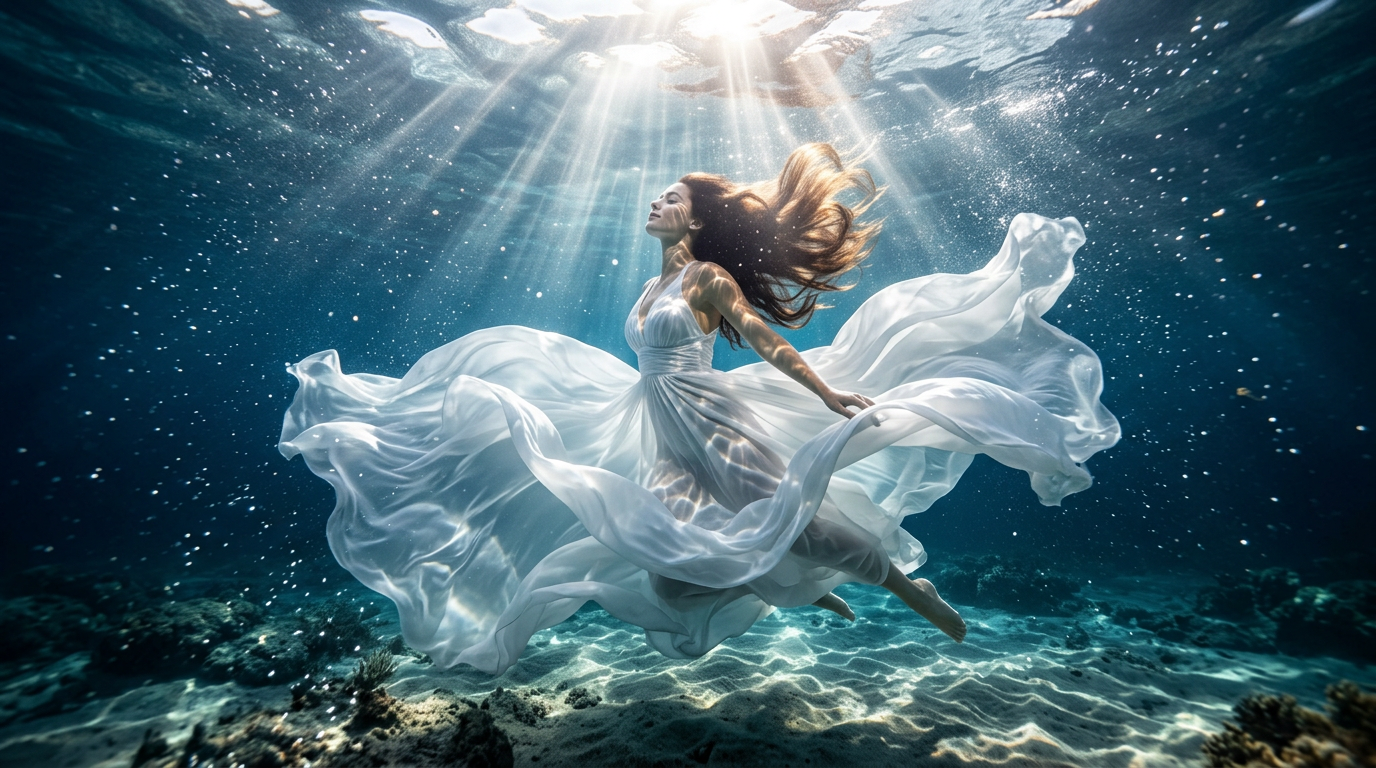
Generated with Nano Banana 2
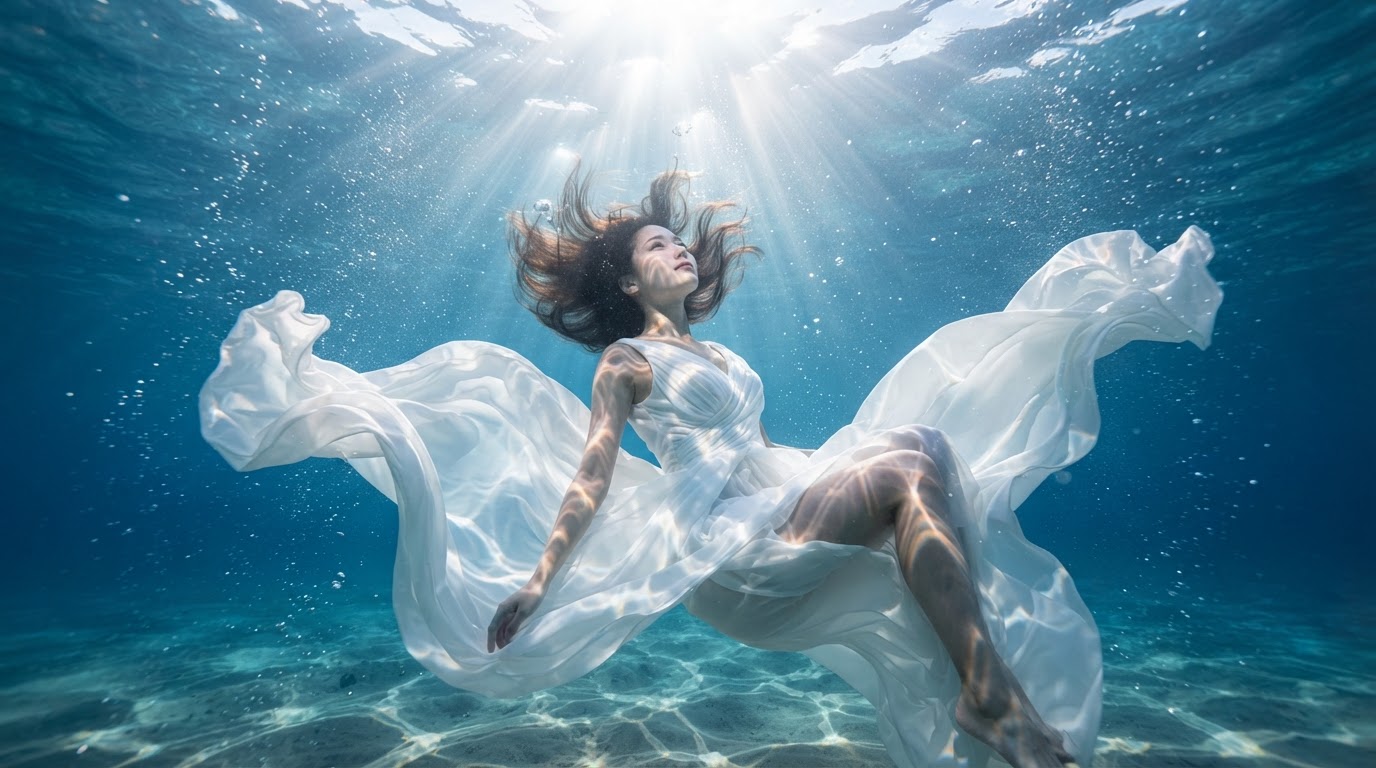
Generated with Nano Banana 2 Lite
A simple and spacious courtyard with a snowy landscape. A woman in a quiet kimono blends in with the morning light.
Prompt
A simple Japanese Zen garden, a snowy morning, a woman in a black kimono sitting in seiza on a tatami mat, gazing at the dry landscape of the rock garden. Outside the window, snow-covered pines and distant mountains, wit…

Generated with Nano Banana Pro

Generated with Nano Banana 2

Generated with Nano Banana 2 Lite
Typical jobs this series is used for.
Quickly create videos with audio from text and still images, streamlining the production of social media posts and promotional materials.
Based on an image, you can add up to 8 seconds of motion, bringing dynamism and synchronized audio to product photos and concept art.
Leveraging fast generation speeds and precise instruction following, you can swiftly verify storyboards and visualize early ideas.
Check production limits and starting credit cost before you pick another model for the same job.
| Model | Max clip duration (single run) | Multimodal reference inputs | Max resolution | Native audio | Sousaku starting price |
|---|---|---|---|---|---|
| Veo 3.1 Lite | Up to 8 seconds | ❌ | Up to 1080P | ✅ | 2 Credits/s |
| Gemini Omni Flash | Up to 10 seconds | Up to 10 videos | Up to 720P | ✅ | 4 Credits/s |
| Veo 3.1 | Up to 8 seconds | Up to 3 images | Up to 1080P | ✅ | 6 Credits/s |
From sign-up to your first successful call. The same steps work for every model.
Sign up and verify so you can issue an API key and use Playground.
Open a card above to see that model's details, pricing, and field docs.
Confirm inputs and parameters in the form before you automate.
The field docs on the detail page list required parameters. Use the same names in create_task.
Call the generate API with your key, poll until the task succeeds, then download the result.
Track credit use on the model's pricing page and in the dashboard.
Other series on Sousaku. One API key, one task flow.